


Drive Coach iOS
SwiftUI
Confidence Scoring
Apple Health-Inspired
How might we?
help new drivers see their own growth clearly enough to actually build confidence behind the wheel?
Platforms
iOS 17+ - SwiftUI - Swift Charts
Category
Driver Coaching, Consumer Health-Adjacent
Role
End-to-end: product design, SwiftUI build, data model
Approach & Process
End-to-End Ownership
Designed and built the whole SwiftUI app solo: the data model, the scoring engine, and all four tabs.
Reusable Score Language
One color-and-label system, everywhere.
The same ScoreBand/ConfidenceBand vocabulary drives the ring, the trend badges, the skill bars, and the streak banner — so the whole app reads as one coherent language, not four separately-designed screens.
Borrowed the Shape, Not the Skin
Read Apple’s September 2026 Health redesign closely, then re-derived the pattern for driving:
Readiness’s 0-10 score + four-tier language became a rolling Confidence Score
The Insights tab’s “For You” mix of a win and a focus area became two coaching cards, not just a list of problems
The Longevity tab’s all-dimensions-at-once view became the Skill Overview bars
Fluid by Default
Reached for iOS 17’s native motion APIs instead of hand-rolled animation plumbing:
contentTransition(.numericText()) on every score and delta
scrollTransition fade/scale on cards as they enter the viewport
viewAligned scroll snapping on the Recent Drives strip, spring-scale press states on every card
Independent Research & Validation
Extracted concrete patterns from Apple’s own announcement rather than guessing at “Health-style design”:
Baseline-relative language (“Trending Up,” not just a raw number)
A card mix of celebration and focus, never only problems
A one-line “why this number” explanation under every score
Design System
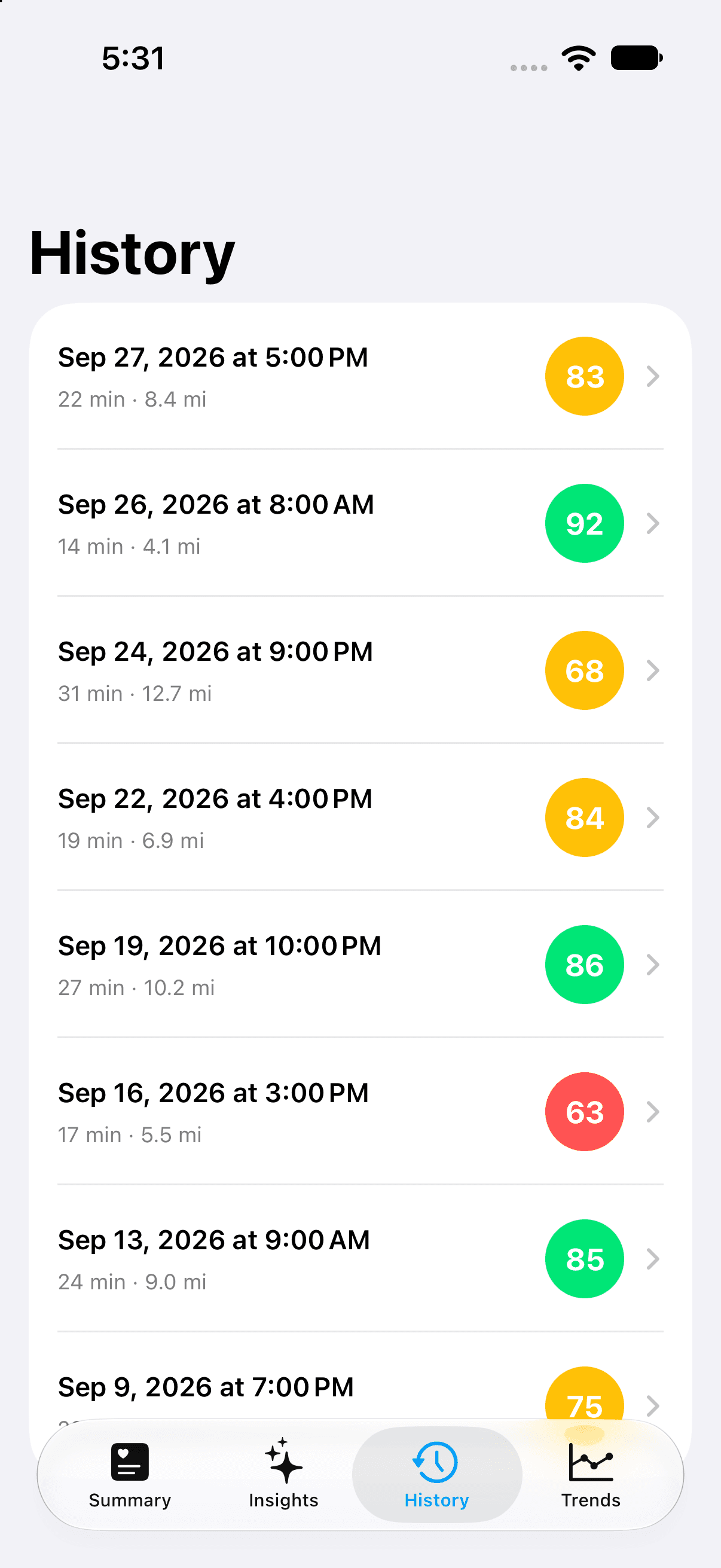
One scoring vocabulary, six primitives
Every screen reuses the same ScoreBand/ConfidenceBand color-and-label system, so a ring, a badge, and a bar all mean the same thing at a glance.
Score Band
83 - Driving Well
Trend Badge
+5
Streak
2-drive streak
Skill Bar
Confidence Band
Road Ready
For You Card
Trending Up
App Colors
Great - #00E676
Good - #FFC107
Needs Work - #FF5252
Accent - #00A3FF
Confidence Score
A number that means something
A recency-weighted rolling average across the last five drives, mapped to a four-tier band: Keep Practicing, Building Confidence, Driving Well, Road Ready.
One rough drive doesn’t crash the number, and one great one doesn’t inflate it — the same shape as Apple’s own Readiness score.
For You
One win, one focus, every time
The engine compares each scenario’s last three drives against the three before that, then surfaces the biggest improvement and the biggest dip — never just a list of what went wrong.
Trending Up
Speed Management +5
Up 5 points over your last few drives. Keep it up.
Focus Area
Following Distance -4
Add one more car length of following distance on faster roads.
Skill Overview
Every scenario, one glance
All six scenarios — Speed, Braking, Signal, Following Distance, Turns, Night Driving — compared at once before drilling into any single one’s trend line.
Same idea as Health’s Longevity tab showing every dimension side by side instead of one metric at a time.
Fluid by Default
Small motion, big trust
Score digits count up instead of jump-cutting, cards fade and settle in as they scroll into view, and the Recent Drives strip snaps card-to-card instead of drifting to a stop mid-card.
None of it is custom animation code — all native iOS 17 SwiftUI: contentTransition, scrollTransition, and viewAligned scroll targets.
Why It Works
Confidence you can see.
The rolling Confidence Score turns “am I getting better?” into a number and a plain-language band, the same trick Apple’s Readiness score plays for workout recovery.
Coaching that celebrates, not just corrects.
For You always pairs a win with a focus area — matching Apple Health’s own encouraging tone instead of a list of what a new driver did wrong.
Feels alive, not static.
Numeric count-ups, scroll-linked fades, and view-aligned snapping run on native iOS 17 SwiftUI APIs — no custom animation plumbing to maintain.