In-Vehicle HMI
Voice Interaction
Automotive HMI
Rapid Prototyping
How might we?
help new drivers build real confidence behind the wheel, with voice-first coaching that adapts in real time to parking, intersections, and lane changes?
Platforms
CARLA Simulator Vehicle SDK In-Vehicle HUD
Category
HMI Design Voice Interaction UX Research
Role
UX Engineer


End-to-End Ownership
Owned end-to-end UX for Generative Drive Coach, spanning research, HMI and voice interaction design, prototyping, and validation.
Reusable Coaching Patterns
Scaled a single teen-driving concept into a reusable coaching pattern system.
Patterns now cover parking, intersections, stop signs, turns, lane changes, and speed management, all built on the same voice-first coaching logic.
Cross-Functional Partnership
Grounded every design decision in Woven’s engineering stack:
CARLA: a proprietary driving simulator used to test coaching logic before real-world validation.
Vehicle SDK: real steering, speed, and sensor signals piped into working prototypes.
CAN signals: live vehicle bus data that grounded HMI behavior in actual driving state.
Multi-Fidelity Prototyping
Rapidly translated feedback into working prototypes across Figma, simulator, and physical hardware:
Voice-enabled Figma flows: fast, low-fidelity concept testing.
CARLA simulator scenarios: realistic, repeatable driving conditions.
Physical steering & pedal rig: paired with updated HUD concepts for hands-on validation.
Independent Research & Validation
Owned research and validation end to end:
Study plans designed and run independently, start to finish.
Voice-frequency studies to tune how often and how loudly the coach should speak.
Simulated driving studies in CARLA to validate coaching behavior before road testing.
Iterative refinement of coaching behavior based on participant feedback.
Voice-first UI
Adaptive Voice Coaching
I designed a voice-first coaching layer that delivers real-time, context-aware guidance without adding cognitive load, timed to the exact moment it’s needed: a stop sign, an intersection, a lane change. Voice-frequency studies shaped the interaction model, balancing how often the coach speaks against how much a new driver can actually absorb behind the wheel.

Scenario Coverage
From Teen Driving to a Coaching System
What began as a single concept for coaching teen drivers became a reusable pattern system I built across parking, intersections, stop signs, turns, lane changes, and speed management.
Each pattern shares the same voice-first coaching logic, so adding a new driving scenario means composing existing building blocks, not starting from scratch. It’s a system, not a one-off feature.


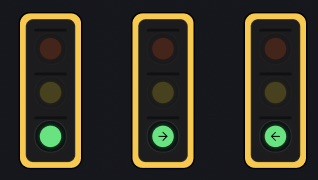
Design System
Design System
A small token system — colors, type, spacing, and radii — kept the coaching HMI visually consistent from early dashboard mockups through CARLA test builds and the physical rig.
06 · Implementation
Each live component above is a real widget from the Flutter build. Toggle between SwiftUI, Flutter, and Tailwind to see the same pattern implemented natively across platforms.
01 · Colors
A restrained palette tuned for daylight glare, night driving, and quick at-a-glance recognition.
System Grays
Gray 100
#F2F2F7
Gray 200
#E5E5EA
Gray 300
#D1D1D6
Gray 400
#8E8E93
Gray 500
#1C1C1E
Semantic States
Success
#34C759
Warning
#FF9500
Info
#007AFF
Error
#FF3B30
Critical / Destructive
Reserved for takeover alerts and destructive actions — used sparingly so it keeps its urgency.
02 · Typography
A screen-legible type scale, sized and weighted for a quick glance at speed.
Token & Size
Example Render
Large Title
34px · Semibold
Simplify everything.
Title
28px · Medium
Inspired by clarity.
Headline
22px · Medium
Designed for quick readability.
Body
17px · Regular
This is the standard body text used across paragraphs, general content blocks, and descriptive labels.
Caption
13px · Medium
METADATA AND AUXILIARY OVERLINES
03 · Spacing
Consistent spatial rhythm across dashboard, HUD, and mobile companion surfaces.
XS
4px
SM
8px
MD
16px
LG
24px
XL
32px
04 · Corner Radii
Rounded surfaces calibrated to feel tactile on a touchscreen, not decorative.
None
0px
Small
8px
Medium
13px
Large
22px
Vehicle Integration
HUD & In-Vehicle Signals
To make coaching feel native to the car, I partnered with the software-integration and ML teams to ground the HMI in real vehicle state: pulling live signals from the Vehicle SDK and CAN bus into updated HUD concepts, so guidance stays synced to actual speed, position, and steering input, not a simulated approximation.

Simulation & Testing
Validating in CARLA
Working with the ML and research teams, I connected coaching designs to CARLA, Woven’s proprietary simulation platform, to run realistic driving scenarios and pressure-test coaching behavior before it ever touched a real vehicle.

Physical Prototyping
From Figma to the Driver’s Seat
Feedback moved fast, so I kept prototypes moving just as fast: voice-enabled Figma flows for early concept testing, full simulator scenarios, and a physical rig with a real steering wheel and pedal controls.
Testing on physical controls surfaced timing and tone issues a screen-only prototype never would catch. Coaching that feels right in Figma can feel intrusive the moment your hands are actually on the wheel.
